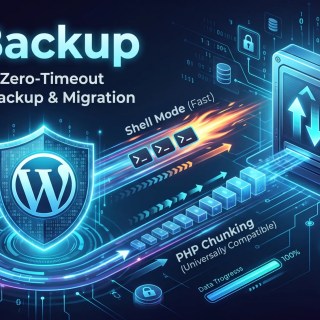
Stop wrestling with 504 Gateway Timeouts, bloated background daemons, and artificial file-size paywalls. CE Backup delivers bulletproof, high-speed site backups and seamless migrations—even on restrictive shared hosting.
The Hard Reality of WordPress Backups
Every WordPress site owner and developer knows the sinking feeling of a failed backup:
- You click “Backup Now”, wait several minutes, and watch the progress bar freeze at 78% due to a PHP
max_execution_timetimeout or memory exhaustion. - You download a free migration plugin only to discover an artificial 512MB upload limit designed to force you into an expensive recurring subscription just to restore your own site.
- Your admin dashboard crawls to a halt because a backup plugin is running persistent background pollers and plastering aggressive upsell banners everywhere.
CE Backup was engineered from the ground up to solve these exact frustrations. Built with a pragmatic, zero-bloat mindset, it provides enterprise-grade backup and restore capabilities without the overhead.
Core Pillars & Architectural Highlights
+-----------------------------------------------------------------------+
|                              CE BACKUP                                |
+-----------------------------------------------------------------------+
                                   |
         +-------------------------+-------------------------+
         |                                                   |
         v                                                   v
[High-Speed Shell Mode]                           [PHP Chunked Streamer]
mysqldump + zip / tar                             Sub-second AJAX State Machine
Dumps & zips in seconds                           Guaranteed 0 Timeouts on Shared Host
1. Smart Hybrid Engine: Shell Speed with Anti-Timeout Fallback
Most backup tools force you into one extreme: either they rely exclusively on PHP scripts that choke on shared hosts, or they fail outright if command-line access is missing.
CE Backup utilizes an Intelligent Engine Detector:
- Shell Hybrid Mode (Fastest): Automatically detects if native server tools (
mysqldump,zip,tar) are available and permitted viaexec()/shell_exec(). If present, multi-gigabyte databases and directories are archived in seconds with raw binary speed. - PHP Chunked Streaming Mode (Universal Compatibility): If shell execution is restricted or disabled (common on low-cost shared hosting), CE Backup seamlessly activates its proprietary State-Machine Chunking Engine. It breaks table dumps and file packaging into tiny, sub-second AJAX micro-batches. Because each request completes in fractions of a second, hitting server execution limits or memory limits is physically impossible.
2. Deep Granular Selection & 1-Click Presets
Whether you are a busy site owner looking for quick peace of mind or a developer crafting precise staging snapshots, CE Backup fits your exact workflow:
- 1-Click Presets:
- Full Site Backup: Comprehensive archive containing the entire database, media uploads, active plugins, themes, and WordPress core files.
- Database Only Backup: Ultra-fast, lightweight SQL snapshot ideal for routine content and eCommerce order protection.
- Granular Selection Mode:
- Selective Tables: Pick and choose specific tables with real-time row counts and storage metrics. Keep WooCommerce customer tables while discarding bloated analytics or transient tables.
- Selective Files: Granularly include or exclude the uploads folder, specific active plugins, or parent/child themes.
3. Serialization-Safe Search & Replace for Migrations
Moving a site from localhost or a staging domain (staging.example.com) to live production (example.com) often breaks widgets, page-builder layouts (Elementor, Divi), and theme settings because modern WordPress stores configuration as serialized PHP strings.
A standard text replace corrupts string length headers (e.g., s:27:"https://staging.example.com" becomes invalid when replaced with a domain of different length).
CE Backup includes a specialized Recursive Serialized Search & Replace Engine:
- Safely parses raw SQL dump streams during restoration.
- Identifies serialized data payloads and recursively unpacks them.
- Replaces old URLs with target URLs and dynamically recalculates byte lengths (
s:27->s:19). - Zero white-screens, zero missing widgets, and zero broken menus after migration.
4. Zero Artificial File Size Paywalls
Your data belongs to you:
- No File Size Caps: Backup and restore archives whether your site is 50MB or 50GB.
- Direct Browser Downloads: Download your backup archives directly from the WordPress admin with one click.
- External Archive Upload: Upload any backup
.zipcreated by CE Backup to restore a clean snapshot instantly. - GPLv2+ Licensed: 100% open source and forever free.
5. Multi-Layer Storage Security
Backup files contain sensitive configuration credentials, database passwords, and user information. CE Backup protects your backup directory (/wp-content/uploads/ce-backups/) with automated security guards:
.htaccessDirect Access Denial: Blocks external HTTP/HTTPS visitors from downloading backup archives directly.- Blank
index.phpSilencer: Disables web server directory listing. - Administrator-Only Access: All backup triggers, downloads, and restore routines require strict
manage_optionsadministrative capabilities and cryptographic nonces.
Comparison Matrix: CE Backup vs Traditional Solutions
| Feature | CE Backup | Conventional Free Plugins | Bloated “Freemium” Suites |
|---|---|---|---|
| Price & Licensing | 100% Free (GPLv2+) | Limited Free | Subscription Required |
| Restore Size Limits | Unlimited | Capped at 512MB / 2GB | Capped |
| Anti-Timeout Chunking | Yes (Automatic) | Rare / Prone to 504s | Heavy Background Crons |
| Shell Command Acceleration | Yes (mysqldump/zip) | No | No |
| Granular Table & File Selection | Yes | Paid Addon Only | Paid Addon Only |
| Serialized Search & Replace | Built-in | Paid Addon Only | Basic |
| Dashboard Overhead | Zero Bloat / No Upsells | Moderate | Very High (Banners & Trackers) |
Quickstart Guide
Installation
- Download
ce-backup.zipfrom the official repository or release page. - In your WordPress admin, navigate to Plugins > Add New > Upload Plugin.
- Choose the
.zipfile and click Install Now, then Activate.
Creating Your First Backup
- In the WordPress sidebar, click CE Backup.
- Select your desired mode:
- Full Site (Database + Files)
- Database Only
- Custom / Granular (Pick individual tables and folders)
- Click Start Backup.
- The live progress bar monitors engine status and chunk progression in real-time. Once finished, click Download Backup to save the archive to your local computer.
Restoring or Migrating a Site
- On your target WordPress installation, install and activate CE Backup.
- Go to the Restore / Migrate tab.
- Choose an existing local backup from the list, or drag and drop a
.ziparchive into the upload zone. - Enter your new site URL in the migration field if moving domains.
- Click Start Restore. The engine unpacks the files, reconstructs the database, recalculates serialized strings, and cleans up temporary sandbox files automatically.
Technical Specifications
- WordPress Compatibility: WordPress 5.4 up to 7.1+
- PHP Requirements: PHP 7.4, 8.0, 8.1, 8.2, 8.3, 8.4+
- Database Compatibility: MySQL 5.6+ / MariaDB 10.1+
- Supported Web Servers: Apache, Nginx, LiteSpeed, Caddy, IIS
- Memory Footprint: < 4MB additional runtime memory during chunk streaming
- Distribution Footprint: Clean ~50KB archive with zero external vendor bloat
Frequently Asked Questions
Will CE Backup work on budget shared hosting with low PHP timeouts?
Yes. This was the primary design requirement. By breaking the export and import workflows into micro-steps triggered via asynchronous AJAX requests, each HTTP call completes in under 1 second. The server never triggers max_execution_time.
Where are my backup files stored?
Backups are placed locally in wp-content/uploads/ce-backups/. Each archive is generated with high-entropy cryptographic job identifiers and protected against direct HTTP downloads via .htaccess.
Can I use CE Backup to clone a site from local development (e.g. Laragon/LocalWP) to a live server?
Yes. Simply create a Full Site backup on your local machine, download the .zip, upload it into CE Backup on your live server, and the automated Search & Replace engine handles URL domain adjustment and serialized string recalculation.
Does CE Backup leave orphaned database tables if uninstalled?
No. CE Backup respects clean uninstallation practices. When deleted via the WordPress Plugins screen, its uninstall.php script cleanly purges all plugin transients and status options without touching your active content.
Get Started Today
- Official Plugin Page: https://crushedge.com/ce-backup/
- License: GNU General Public License v2 or later (GPLv2+)
- Maintained by: SepedaTua (Crushedge)
No Comments